
Trello
Developer: Trello, Inc.
5 (1)-
 Windows
-
 Mac OS
-
 Android
-
 iOS

Choose a platform
-
Microsoft Store
Windows
Recommended for your device
-
Download on the Mac App Store
Mac OS
Recommended for your device
-
Android Version 2024.2.1.14372
79 MB
Download Get it on Google PlayRecommended for your device
-
Download on the App Store
iOS
Recommended for your device
Overview
Introduction
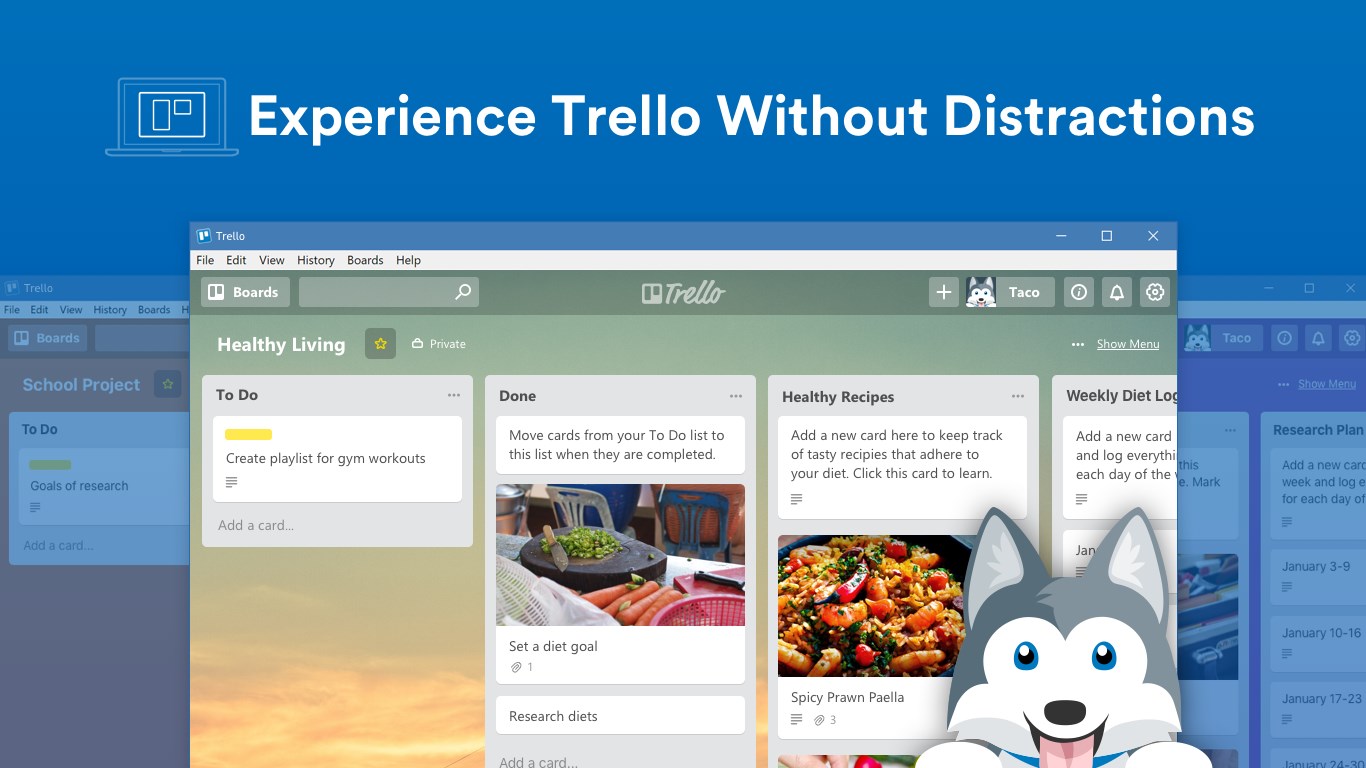
Trello is a popular project management and collaboration tool that uses a card system to help people and teams organise tasks and projects. It offers a visual and flexible approach to project management, making it easy for users to track progress, collaborate and stay organised.
Key features
- Card-based organisation: Trello uses cards to represent tasks or ideas that can be moved around different lists or boards, providing a visual representation of project progress.
- Customisable boards: Users can create customisable boards to present different projects or workflows, tailoring Trello to the specific needs of their team.
- Collaboration and communication: Trello facilitates collaboration by allowing users to comment on cards, mention team members and attach files, fostering communication across the platform.
- Integration capabilities: Easily integrates with various third-party tools and applications such as Google Drive, Slack, and Dropbox to increase its functionality and adaptability.
- Mobile Accessibility: Available through mobile apps, allowing users to manage and collaborate on projects from anywhere, anytime.
Conclusion
Trello, stands out as an intuitive and visually appealing project management tool. Whether organising personal tasks or coordinating complex team projects, Trello's card system and collaboration features make it a versatile and widely used choice. With its commitment to simplicity and efficiency, Trello continues to empower individuals and teams to collaborate effectively and deliver projects successfully.
Features
Pros
- User-Friendly Interface
- Visual and Flexible
- Collaborative Features
- Integration with Other Tools
- Mobile Accessibility
Cons
- Dependency Management
Screenshots
Ask a Question
Is Trello free to use?
Offers a free version with basic features. There are also paid plans with additional features for users with more advanced needs.
How does Trello work?
Users create boards for projects, lists for milestones and cards for tasks. Cards can be moved around the lists, showing the progress of tasks.
Can Trello be integrated with other tools?
Yes, has a wide range of integrations with popular tools and applications, allowing users to optimize their workflows.
Can I use Trello offline?
Offers limited offline functionality. Users can view boards and cards, but an Internet connection is required to make updates.
Similar programs
-
 Deepl DeepL GmbH
3.3 (6) Free 31 437
Windows, Mac OS, iOS, Android
View Deepl -
 ClipGrab Philipp Schmieder
5 (2) Free 7 684
Windows, Mac OS
View ClipGrab -
 Google Play Games Google
3.8 (5) Free 10 134
Windows
View Google Play Games


